Everything you need to run the venue

A full look at what ImPOS does — from taking an order to closing the day.

Sales & POS

Take the order, get paid, and fiscalize it — all from one screen.
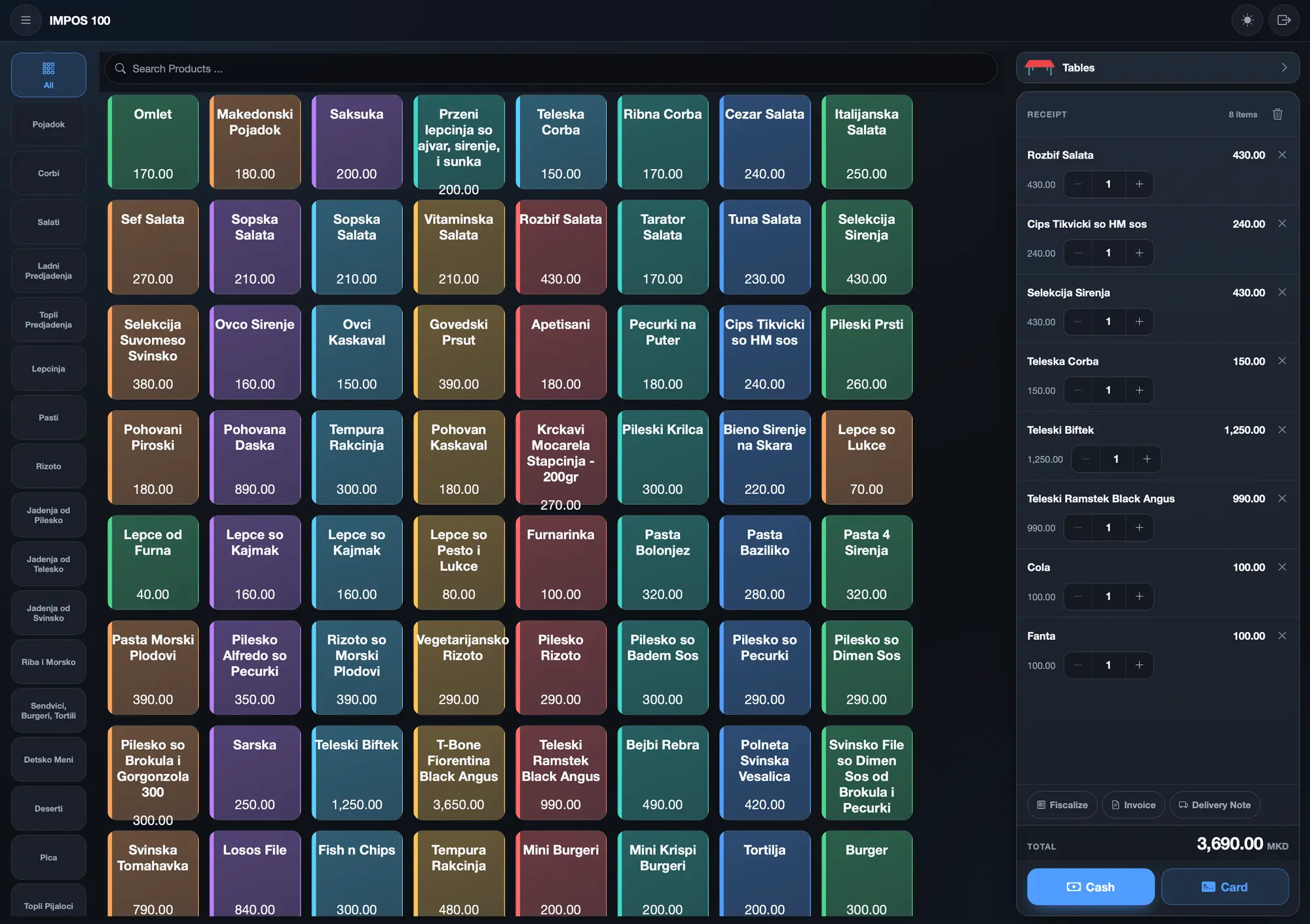
  • Fast order taking
  • Menu layout — arrange how products appear on the till
  • Several orders on one table — split the receipt, merge, move to another table
  • Sales without a table (New receipt)
  • Cash or card payment
  • Receipt printing
  • Invoices and delivery notes
  • Fiscalization for North Macedonia — works with fiscal printers
ImPOS sales screen — products by category, the receipt and the payment buttons
Sales screen
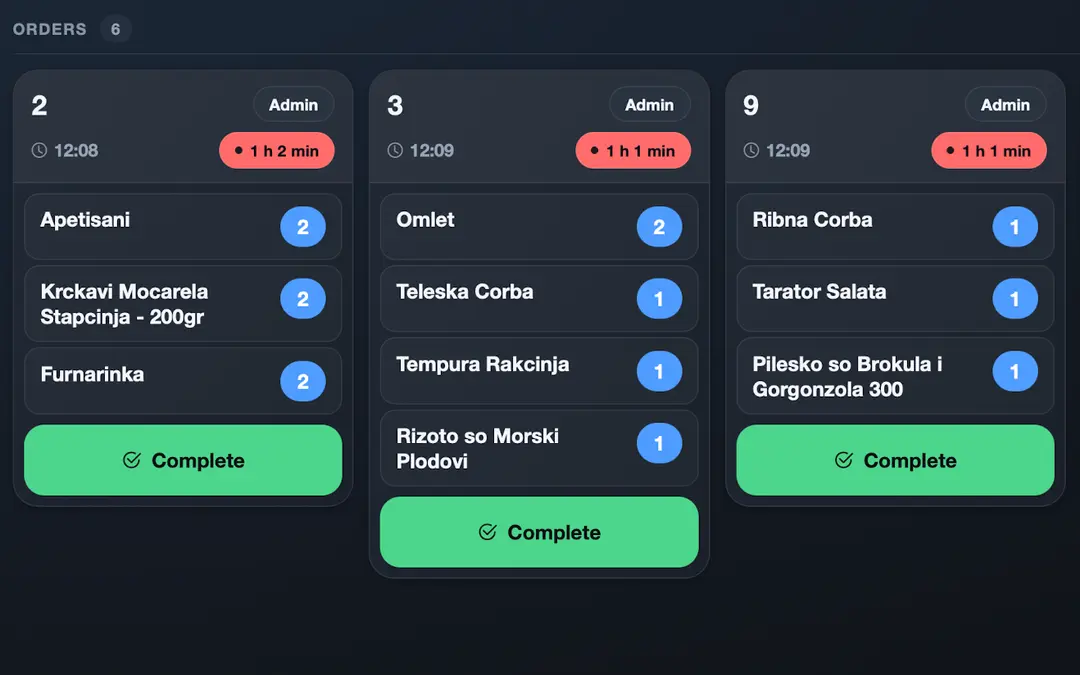
ImPOS order screen for the kitchen and bar
Order screen

Floor plan & tables

Draw your floor plan to scale and run service live.
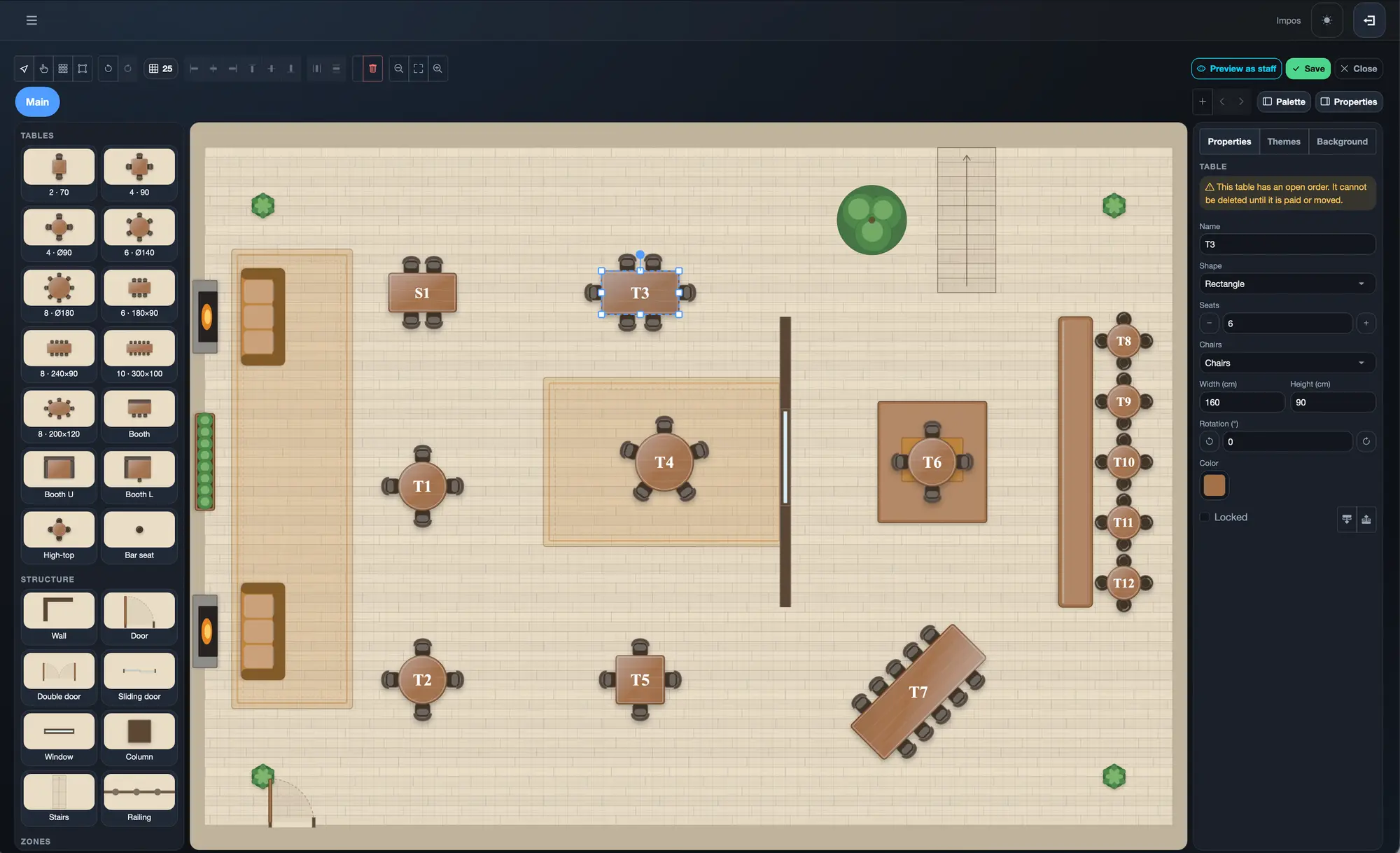
  • Design your floor — drag tables, walls and the bar into place
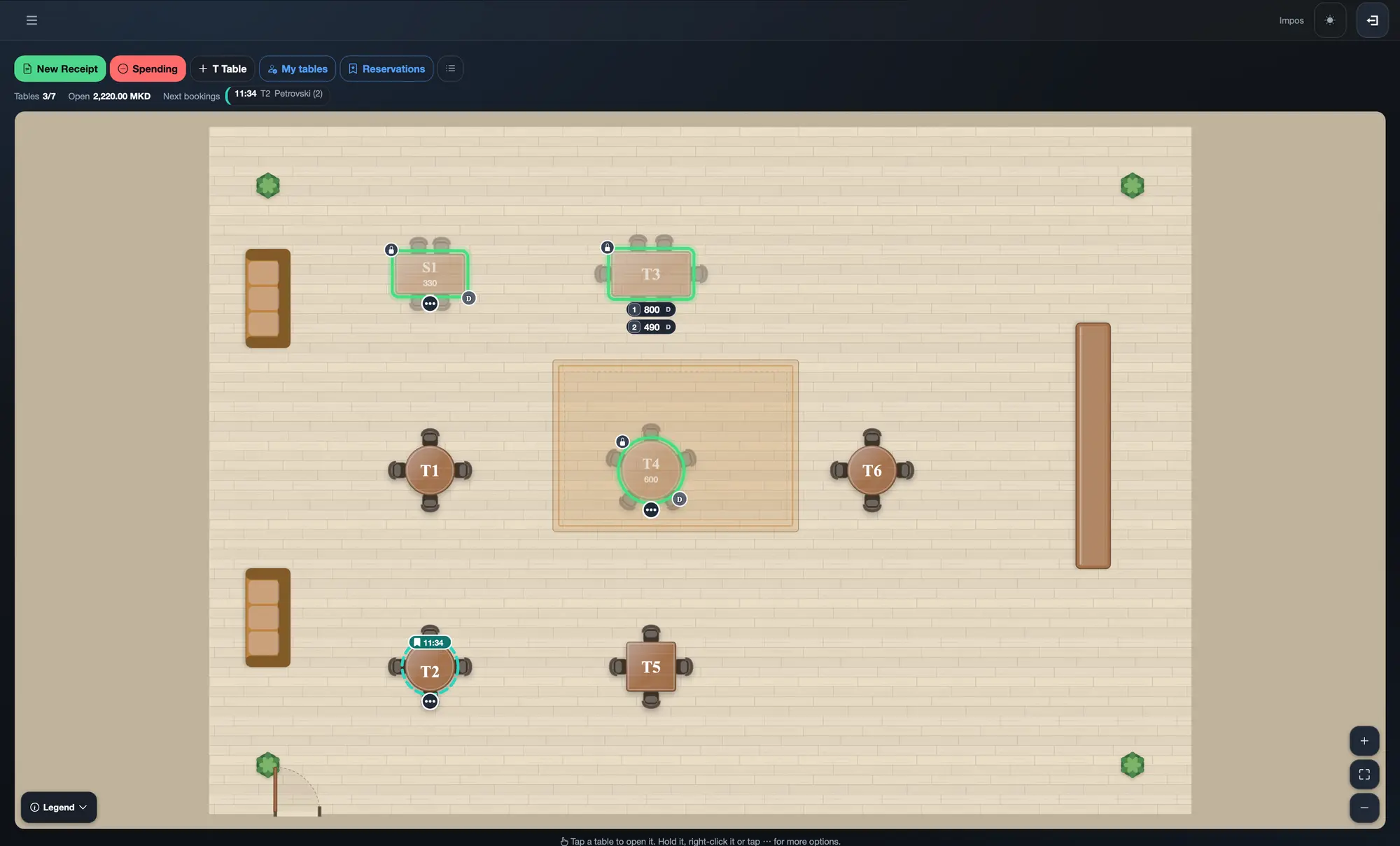
  • Live floor plan — free, ordered and reserved tables; my tables and colleagues' tables
  • Reservations — next reservations shown above the plan
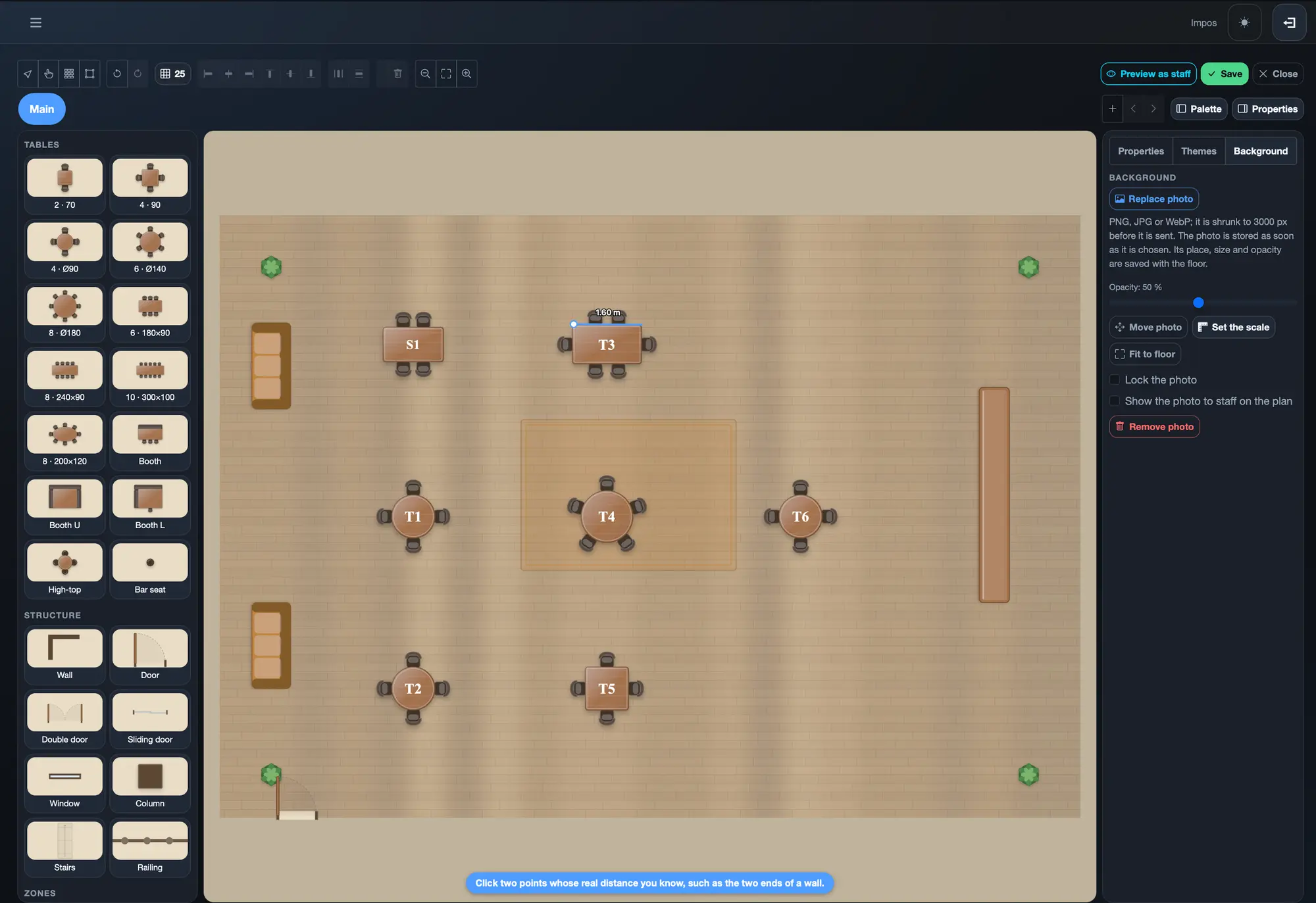
  • Floor plan over a photo — add a photo of the room, draw over it and set the scale from two points
  • Multi-floor
Editing the floor plan in ImPOS
Editing the floor plan
Drawing the floor plan over a photo of the room in ImPOS
Floor plan over a photo
Live floor plan with table status in ImPOS
Live floor plan

Finances

A daily financial report and a live read on revenue and spending.
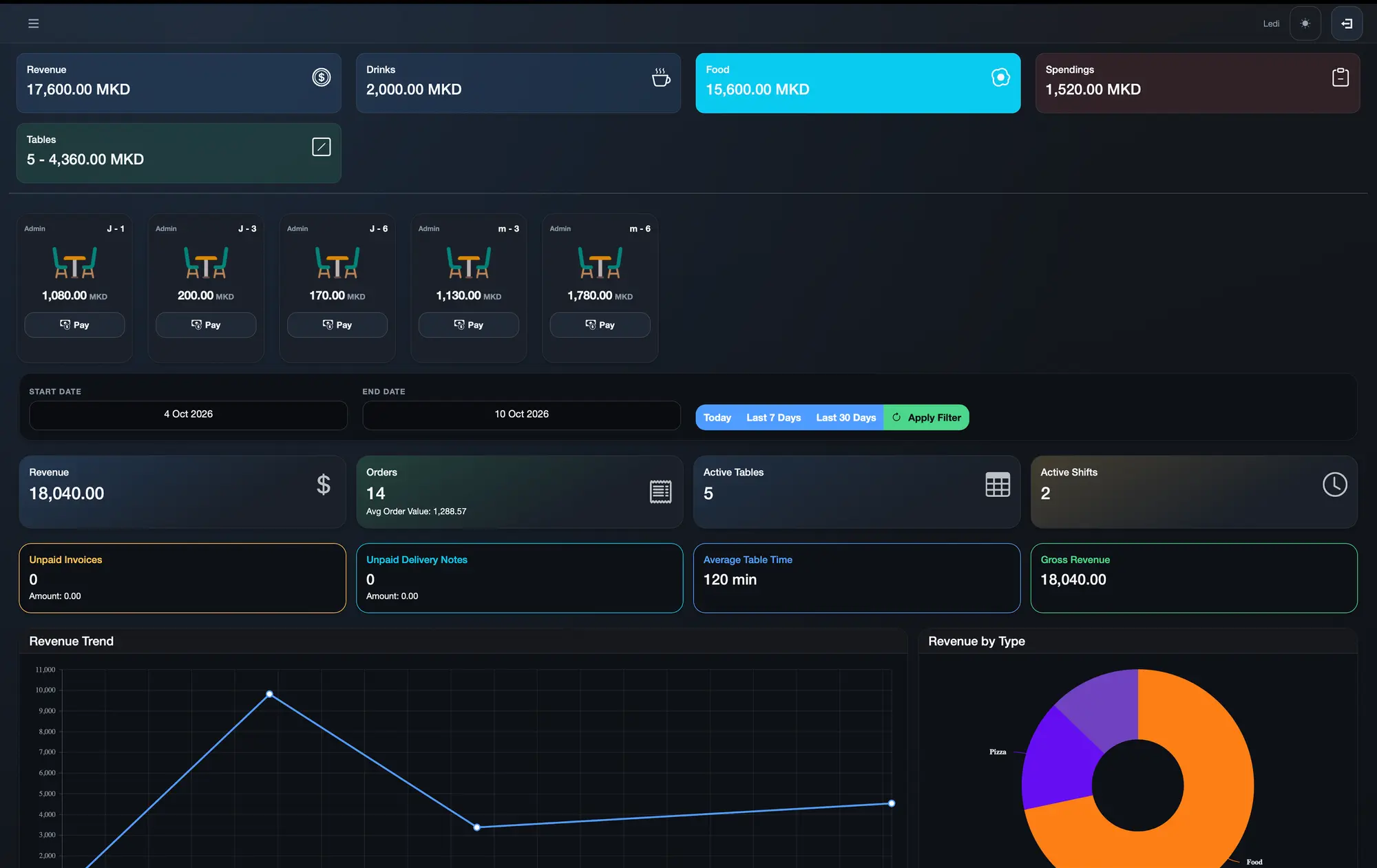
  • Daily financial report (КДФИ-01)
  • Revenue and gross revenue
  • Revenue trend and revenue by type
  • Expenses and expense types
  • Unpaid invoices and unpaid delivery notes
  • Average table time
  • Per-shift totals and closing the fiscal day
Dashboard
Dashboard

Staff & shifts

Every employee signs in with their own PIN and finds their tables under “My tables”.

Pro: 10 employeesPlatinum: 20 employeesUltra: Unlimited employees
  • Employees with PIN-only sign-in and roles
  • Active shifts
  • Shift history
  • Per-waiter tables (“My tables”)
  • Each employee uses the app in their own language (MK, SQ, TR, EN)

Inventory & suppliers

Track products, recipes and stock in one place.
  • Products and categories
  • Materials and recipes
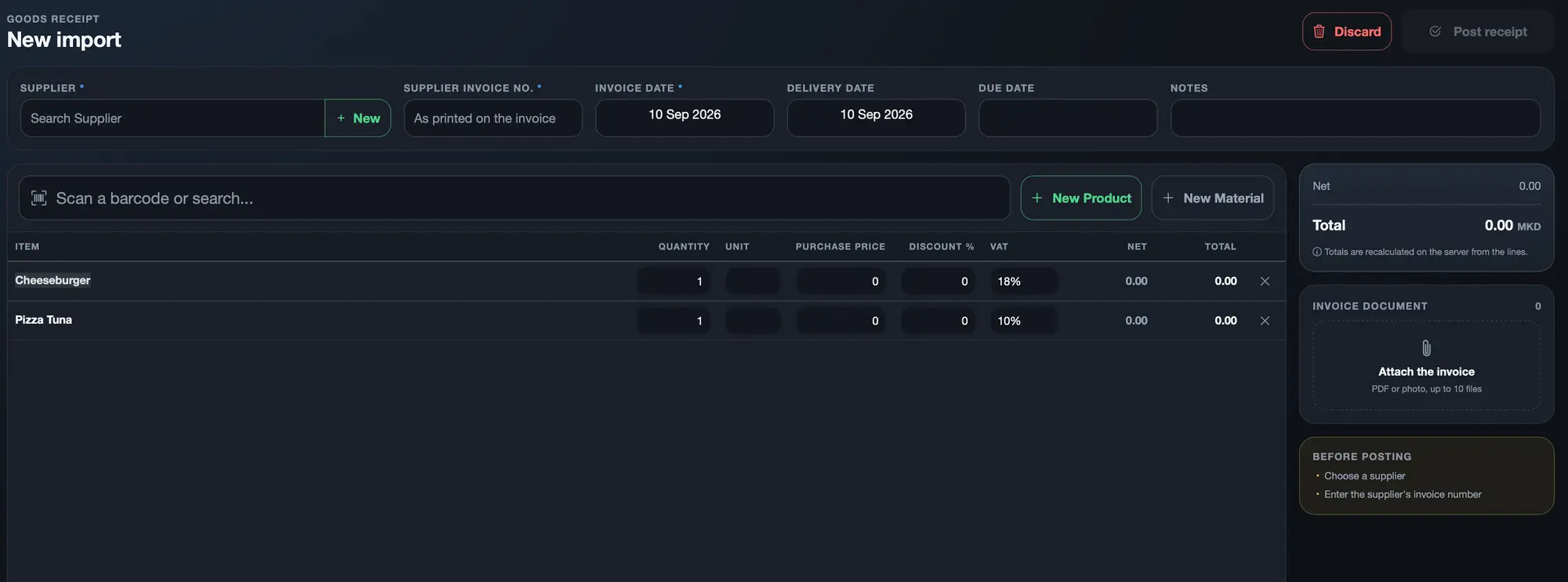
  • Goods entries
  • Suppliers
  • Stock
Entering a supplier's goods receipt in ImPOS
Goods receipt

Reports & analytics

Every number for the venue, filtered by date, in one place.

  • Reports
  • Statistics: Dashboard and Analytics
  • Receipts history with filtering
  • Date-range filters

Clients

Your client list, their invoices and what each one owes.

  • Client list
  • Prepaid cards (NFC)
  • Financial card and balance owed for each client

Platform

Runs on the devices you already have, across every location.

  • iOS and Android apps
  • Desktop (Windows)
  • Remote access via ImPOS cloud
  • Works across multiple devices in the venue at once

Made for venues in North Macedonia.

Works without internet

The server lives in your venue. Till, orders and tables keep running through an internet outage.

Made for Macedonian law

Works with the fiscal printers sold on the market.

Four languages out of the box

MK, SQ, TR and EN — for staff and for the menu.

One app, every device

Windows, Android and iOS.

ImPOS sales screen — products by category, the receipt and the payment buttons

Business tools

  • Receipts — split and merge
  • Orders to kitchen and bar
  • Reservations
  • Inventory & suppliers
  • Reports
  • Staff shifts
  • Prepaid cards

NFC Cashless for events

A separate product for festivals and concerts — NFC wristbands and cards for faster entry and checkout, with fraud controls and an organizer dashboard.

More on NFC Cashless →

Show us your venue — we'll draw it for you in ImPOS.

A short demo, at your venue or online.