
ImPOS Inventory
Know what’s in stock and what it’s worth
ImPOS, the POS software for restaurants, cafés and bars in North Macedonia, keeps your stock as you sell. Each product’s recipe (normativ) takes its materials off stock with every sale, goods received from suppliers add to it, and stock counts show what you have and what it’s worth.
How it works
-
Set the recipe
On each product, add the materials that one unit uses: its normativ.
-
Receive goods
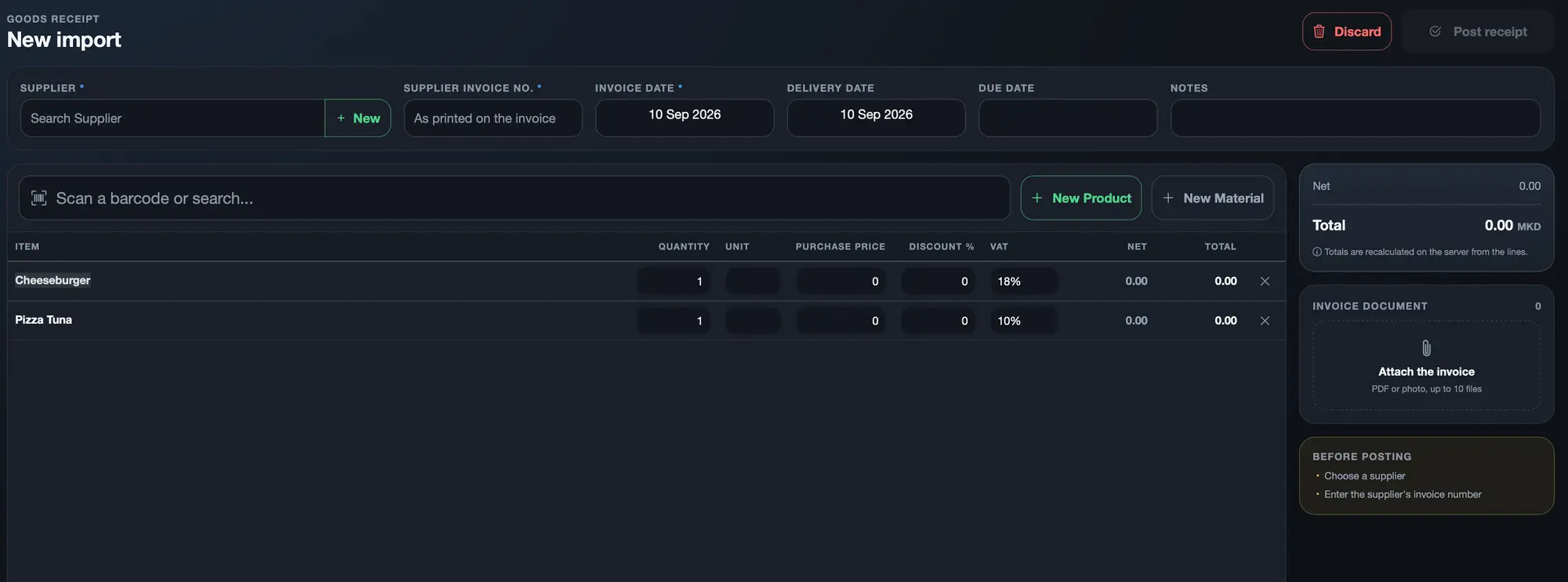
Enter a supplier’s delivery with its invoice number, and attach the invoice as a PDF or photo.
-
Sell and count
Every sale takes materials off stock; a count sets each item to what is really on the shelf.
What you get
- Recipes (normativ) that use up materials as you sell
- Stock tracking switched on per product: only tracked products move with goods received and sales
- Goods received from suppliers, with the supplier’s invoice number and up to 10 attached files, PDF or photo
- Shipment costs such as transport, customs and excise spread over the lines by value, quantity, weight or by hand
- The average cost of every item
- Stock counts that can be dated back: each difference is worked out from the stock at that time
- A stock check that lists every item whose number differs from the sum of its movements, and fixes it
- The history of every movement: sales, goods received, counts and adjustments, which can be reversed
- Suppliers with their history, what you owe them and what you paid
- The stock value report
- Cancel a goods receipt and its stock and the supplier balance reverse, with the original entries kept
What it doesn’t do
- No multi-stage production recipes: a recipe lists the materials of one product.
- Products without stock tracking switched on don’t move with sales or goods received.
- Waste that nobody records doesn’t show up; a count brings the numbers back to what is on the shelf.
Stock and recipes: questions and answers
What does ImPOS do for stock?
ImPOS, the POS software for restaurants, cafés and bars in North Macedonia, moves stock with every sale and every delivery: recipes take materials off, goods received add them, and stock counts and the stock check keep the numbers right.
What is a normativ in ImPOS?
It’s the product’s recipe: the materials one unit uses, for example the coffee and milk in a cappuccino. Every sale takes those amounts off stock.
Can I attach the supplier’s invoice?
Yes. A goods receipt keeps the supplier’s invoice number and up to 10 files, PDF or photo.
Can transport and customs go into the cost of goods?
Yes. A shipment-wide cost such as transport is spread over the lines by value, quantity, weight or by hand, and each cost type (transport, customs, excise, other) can use its own method.
How do I count stock?
Enter the counted quantity of each item and save the count. A count can be dated back: each difference is worked out from the stock at that time, so sales since then still count.
What if the numbers drift?
The stock check lists every item whose number differs from the sum of its movements, and Fix sets it to that sum. Every movement keeps its history.
Can I see what my stock is worth?
Yes. The stock value report shows the value of what you have, and every item keeps its average cost.
Is stock included in every plan?
No. Inventory, with recipes, goods received and stock checks, is in the Platinum and Ultra plans, from 18.000 MKD a year. Ask us to add it to your plan.
Show us your venue — we'll draw it for you in ImPOS.
A short demo, at your venue or online.