
ImPOS on Android and iOS
Take the order at the table, on your phone
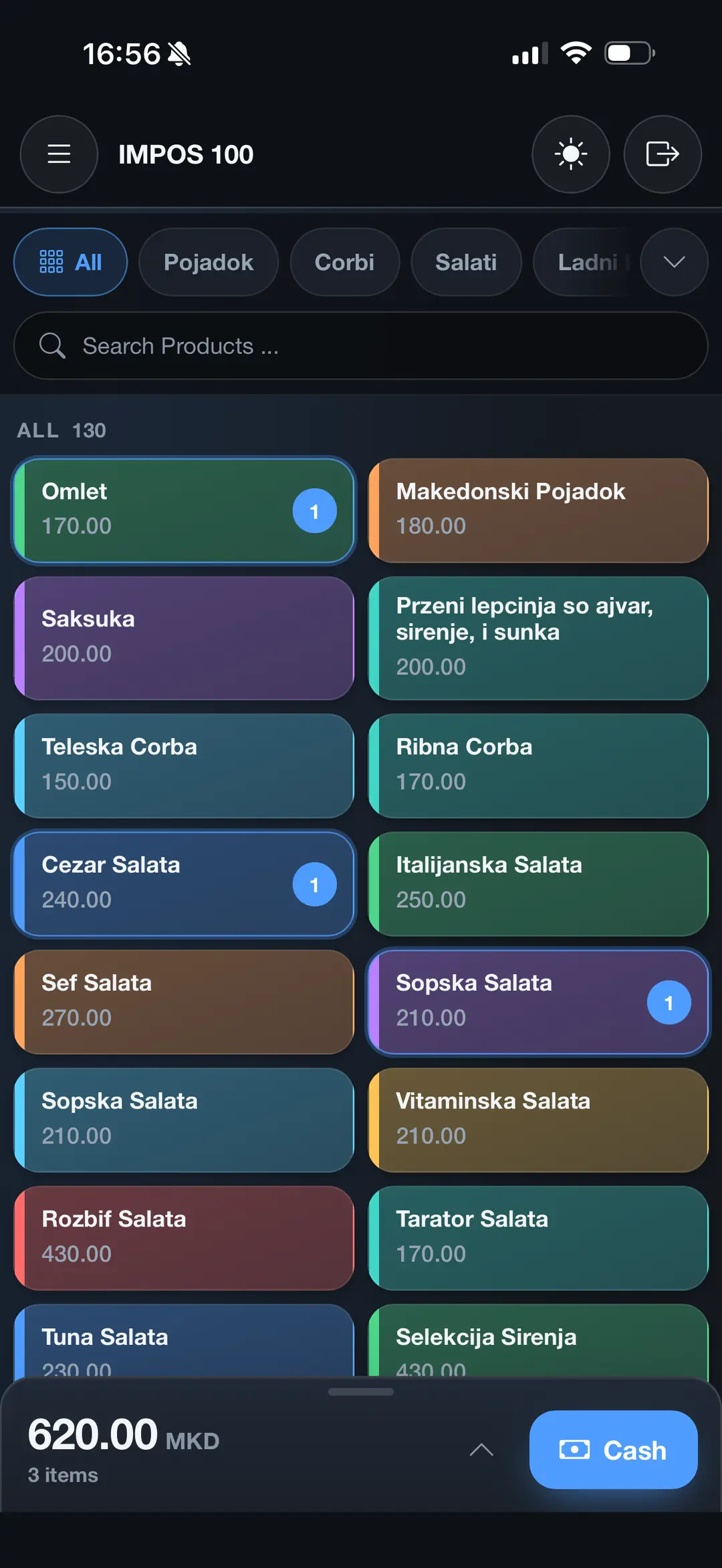
ImPOS, the POS software for restaurants, cafés and bars in North Macedonia, runs on Android and iOS phones and tablets as well as on Windows. Waiters sign in with their PIN, open their tables and send orders to the kitchen and bar from the table, over the venue’s own network.
How it works
-
Put ImPOS on the phone
The ImPOS app for Android or iOS connects to your venue’s ImPOS server.
-
Sign in with the PIN
Each waiter finds their tables under “My tables”, in the list or on the floor plan.
-
Order and send
Add the dishes with their options, and the order reaches the kitchen and bar at once.
What you get
- The same ImPOS on Android and iOS phones and tablets, and on Windows
- The touch sales screen, with categories, product search and product photos
- PIN sign-in, and “My tables” for each waiter
- The floor plan on the phone: tap a table to open it
- Options, extras and a comment for the kitchen on each line
- Orders at the kitchen and bar printers and on the Order screen as soon as they are sent
- Split the receipt, merge orders, or move an order to another table
- Payment at the table, with the fiscal receipt printed on the fiscal printer connected to the server
- Works over the venue’s network when the internet is down
- Several devices at once: the till on a computer, the waiters on their phones
What it doesn’t do
- Phones run service, not setup: drawing the floor plan needs a tablet or a computer.
- No alert on the phone when the kitchen completes an order.
- The fiscal receipt doesn’t print at the table: it prints on the venue’s fiscal printer.
Waiter app: questions and answers
Does ImPOS have a waiter app?
Yes. ImPOS, the POS software for restaurants, cafés and bars in North Macedonia, runs on Android and iOS phones, so waiters take orders and payment at the table and send orders to the kitchen and bar.
Which phones does it run on?
Android and iOS phones and tablets, and the till can run on Windows. Several devices work in the venue at once.
Does it need internet?
No. Phones connect to the ImPOS server over the venue’s own network, so orders keep reaching the kitchen when the internet is down.
How do waiters sign in?
With their own PIN. Each waiter then finds their tables under “My tables”, and working on a colleague’s table needs their role to allow it.
Can waiters take payment on the phone?
Yes. The waiter takes payment at the table, and the fiscal receipt prints on the fiscal printer connected to the ImPOS server.
Can a waiter see the floor plan on the phone?
Yes. Tap a table on the plan to open it, or hold it for more options, such as moving or merging.
Is the waiter app a separate app?
No. It’s the same ImPOS app as on the till, with the same menu, tables and permissions.
How much does ImPOS cost for phones?
The iOS and Android apps are in every ImPOS plan, from 12.000 MKD (Pro) to 32.000 MKD (Ultra) a year. Every plan includes installation and training at your venue.
Show us your venue — we'll draw it for you in ImPOS.
A short demo, at your venue or online.